+91 - 9877098771
 ‣Blogs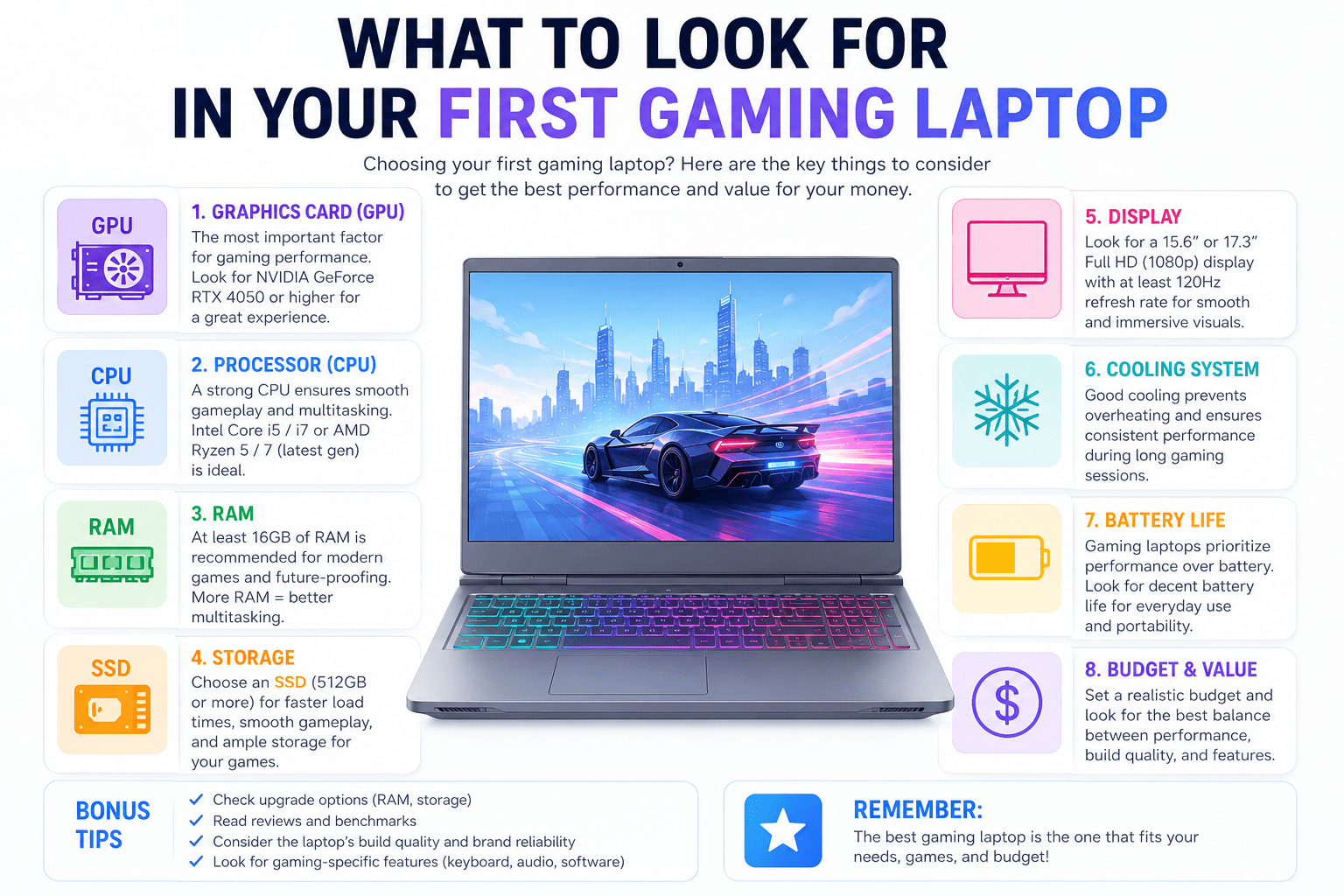
What to Look for in Your First Gaming Laptop
Buying your first gaming laptop is an exciting decision and an important one. With so many options across different budgets, brands, and specifications, it is easy to feel overwhelmed. This guide breaks down the essential features to look for, explains what each one means in practice, and helps you make a confident, well-informed choice.
Table of Contents
- Key Features to Look For
- Budget Considerations
- Brand Reliability
- User Reviews and Ratings
- Frequently Asked Questions
- Conclusion
1. Key Features to Look For
Processor
The processor is the brain of your laptop and determines how well it handles gaming, multitasking, and background tasks. For gaming, look for at least an Intel Core i5 or AMD Ryzen 5. These offer a strong balance between performance and power efficiency. If your budget allows, an Intel Core i7 or AMD Ryzen 7 processor gives you more headroom for demanding games and future titles.
Graphics Card
A dedicated graphics card is non-negotiable for gaming. NVIDIA’s GeForce RTX series and AMD’s Radeon RX series are the most widely used options. Look for a card with at least 6GB of VRAM for smooth gameplay at 1080p. Higher VRAM improves performance in open-world and visually intensive games.
RAM
16GB of RAM is the recommended starting point for gaming in 2026. While 8GB is technically the minimum, 16GB provides noticeably smoother performance during multitasking and gives the system room to handle upcoming game requirements without becoming a bottleneck.
Storage
Always choose an SSD over an HDD for your primary drive. SSDs deliver dramatically faster load times and system responsiveness. A minimum of 512GB is practical for gaming, though 1TB is a better starting point if you install multiple large-title games.
Display
A gaming display should have a high refresh rate of at least 120Hz, and ideally 144Hz or higher, for smooth, fluid visuals. A fast response time of 1ms to 3ms reduces motion blur. Full HD 1080p resolution is the standard, and QHD 1440p is worth considering if your GPU can handle it.
Cooling System
Thermal management is one of the most important and most overlooked factors in a gaming laptop. During extended gaming sessions, heat builds up quickly in a compact chassis. Look for laptops with dual-fan cooling systems, multiple heat pipes, and clear exhaust vents. Poor cooling leads to thermal throttling, which reduces performance exactly when you need it most.
2. Budget Considerations
Gaming laptops in India are available across a wide price range:
- Entry-level (Rs 50,000 to Rs 80,000): Suitable for casual gaming and esports titles. Performance is modest but handles popular competitive games like Valorant, BGMI, and FIFA well.
- Mid-range (Rs 80,000 to Rs 1,20,000): The best value zone for most first-time buyers. Offers strong GPUs, good display quality, and balanced cooling.
- High-end (Rs 1,20,000 and above): Designed for AAA gaming at high settings, content creation, and streaming. Features top-tier processors, fast refresh rates, and premium build quality.
Set a budget before you shop and stick to the features that matter most for the games you actually play.
3. Brand Reliability
Buying from a trusted brand ensures better build quality, stronger warranties, and accessible service support. For gaming laptops, look for brands with a strong service presence in India and a reputation for reliability. Check whether the brand has service centres in your city before purchasing, particularly for warranty claims and hardware repairs.
A well-known brand with a solid gaming product line will also receive better driver and software support over the laptop’s usable life.
4. User Reviews and Ratings
Specifications tell you what a laptop should do on paper. User reviews tell you what it actually does in the real world. Before buying, read reviews across multiple sources including YouTube, technology forums, and verified purchase reviews.
Pay particular attention to feedback about:
- Thermal performance during long gaming sessions
- Fan noise levels
- Build quality and hinge durability
- Battery life during normal use
- Display quality in different lighting conditions
- After-sales support and warranty experience
Frequently Asked Questions
Q: How much RAM do I need for gaming in 2026?
16GB is the recommended starting point. It handles most modern games comfortably and leaves room for multitasking during streams or game captures.
Q: Should I choose a 15-inch or 17-inch gaming laptop?
A 15-inch laptop is the best balance between screen size and portability. A 17-inch display offers more visual space but is heavier and less suited for travel.
Q: Is an SSD worth it over an HDD for gaming?
Absolutely. SSDs dramatically reduce game load times and overall system responsiveness. There is no practical reason to choose an HDD as a primary drive for gaming in 2026.
Q: What refresh rate should my gaming display have?
A minimum of 120Hz is recommended. 144Hz is the sweet spot for most gamers, offering noticeably smoother gameplay for competitive and action titles.
Q: How important is the cooling system?
It is one of the most important factors and often the most underestimated. A weak cooling system leads to thermal throttling, which forces the processor and GPU to reduce performance to prevent overheating.
Conclusion
Choosing the right gaming laptop comes down to balancing performance, cooling, display quality, and budget. Focus on the processor, graphics card, RAM, storage, and thermal management as your primary criteria. Read user reviews to understand real-world performance beyond specifications.
Your first gaming laptop is an investment in your gaming experience. Take the time to research, compare, and choose a machine that fits both your games and your budget.
Ready to find your perfect gaming laptop? Book a live video session with our experts and see top gaming laptops in action before you decide.
Share: