+91 - 9877098771
 ‣Blogs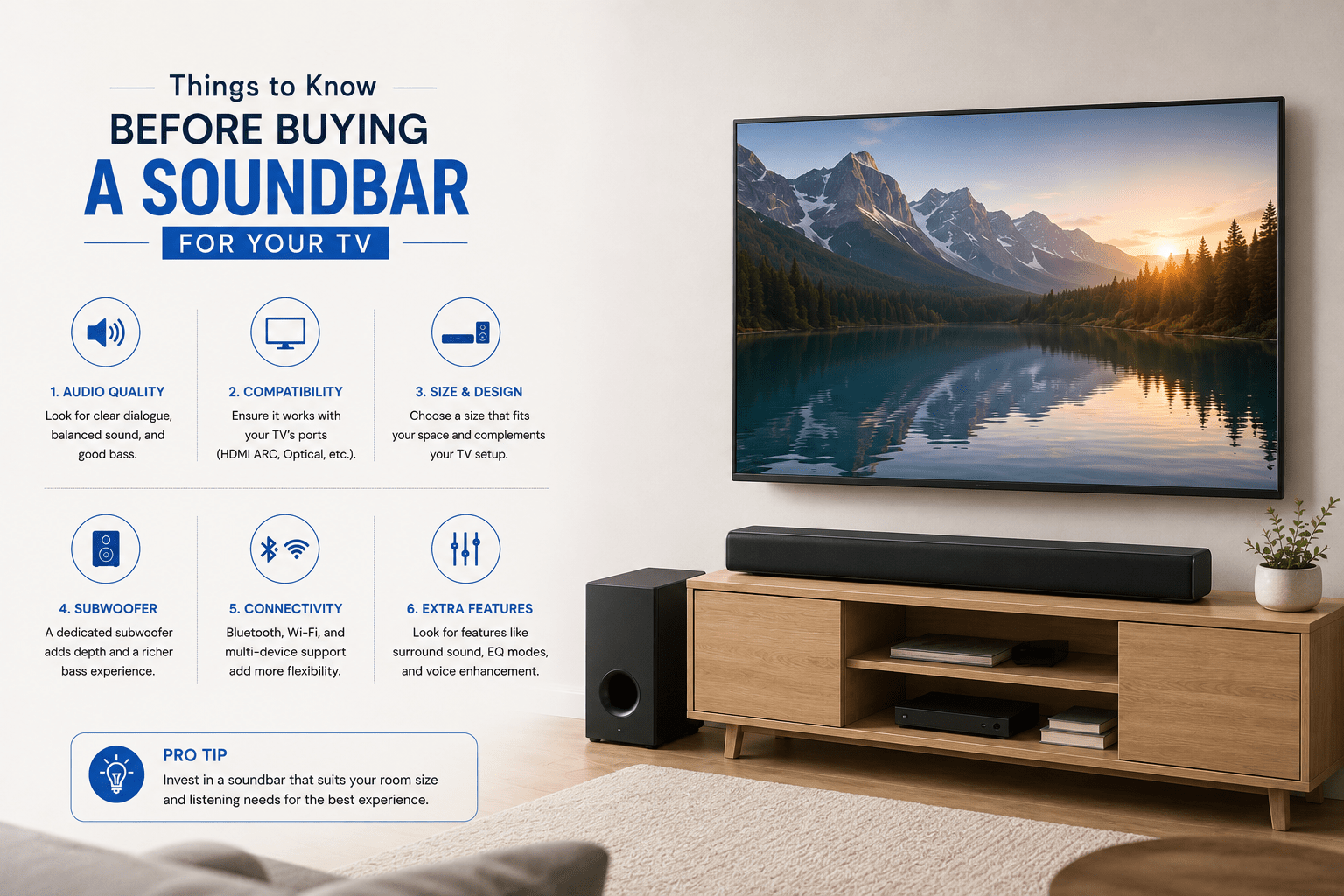
Things to Know Before Buying a Soundbar for Your TV
Television screens are thinner, sleeker, and more visually stunning than ever before. However, this slim profile comes at a cost: the speakers are often tiny, underpowered, and incapable of delivering audio that matches the quality of the picture. Dialogue gets lost, action scenes fall flat, and music lacks the depth it deserves.
A soundbar is the simplest and most elegant upgrade you can make to your home entertainment setup. But before you buy one, there is more to understand than most product pages will tell you. This guide covers everything you need to know to choose the right soundbar for your room, your TV, and your listening habits.
Table of Contents
- Size and Placement: More Important Than You Think
- Understanding Channels
- Audio Formats: Stereo vs Dolby Atmos
- Connectivity: HDMI ARC vs Optical
- Active vs Passive Soundbars
- Smart Features and Wireless Connectivity
- Buying Checklist
- Frequently Asked Questions
- Conclusion
1. Size and Placement: More Important Than You Think
Before looking at technical specifications, start with a tape measure. A soundbar should complement your television both aesthetically and physically.
- Match the width: Ideally, your soundbar should not be wider than your television. A soundbar that extends beyond your TV’s edges looks awkward and can interfere with the remote signal.
- Check the clearance height: Measure the distance between the top of your TV console and the bottom frame of your television. A soundbar that sits too tall will block the lower portion of your screen.
- Wall mounting: If your TV is wall-mounted, you will likely want to wall-mount your soundbar directly below it. Check whether the soundbar includes a wall bracket and whether the mount allows cable access.
2. Understanding Channels
When shopping for soundbars, you will see labels with numbers separated by dots, such as 2.0, 3.1, or 5.1.2. Each number represents a different element of the audio system:
- The first number (main channels): The number of directional speaker drivers inside the soundbar. A 3-channel bar includes a dedicated centre speaker, which significantly improves dialogue clarity.
- The second number (subwoofer): 0 means no subwoofer, 1 means there is one. A separate subwoofer is essential if you want deep, impactful bass for movies and music.
- The third number (height channels): The presence of upward-firing speakers for spatial audio formats like Dolby Atmos, which creates the sensation of sound moving overhead.
For most Indian households watching films, cricket, and streaming content, a 3.1 setup (three front channels plus a subwoofer) provides an excellent everyday listening experience.
3. Audio Formats: Stereo vs Dolby Atmos
The audio format a soundbar supports determines how realistically it can place sound around your room.
Stereo and Standard Surround Sound
Basic soundbars decode standard stereo or traditional Dolby Digital 5.1 sound. These formats assign sounds to specific channels (left, right, centre, rear). They are reliable and widely supported across all streaming platforms and cable TV.
Dolby Atmos and DTS:X (Spatial Audio)
These object-based audio formats place sounds in three-dimensional space rather than assigning them to fixed channels. The result is audio that moves naturally around and above you. To experience this properly, your soundbar needs true upward-firing speakers, not just virtual processing.
Virtual vs True Atmos
Be aware that budget soundbars often advertise Virtual Dolby Atmos, meaning they use digital signal processing to simulate height channels without physical upward-firing speakers. The result is an improvement over stereo but falls significantly short of a true Atmos experience.
4. Connectivity: HDMI ARC vs Optical
How you connect the soundbar to your TV determines both ease of use and the quality of the audio signal.
HDMI ARC (Audio Return Channel)
The industry standard for modern audio connections. It sends audio from your TV to the soundbar through a single HDMI cable and allows your TV remote to control the soundbar volume. This is the connection to prioritise if your TV supports it.
HDMI eARC (Enhanced ARC)
Found on newer TVs and mid-to-high-end soundbars, eARC carries lossless audio formats including Dolby TrueHD and DTS-HD Master Audio. If you want the absolute best audio quality, ensure both your TV and soundbar support eARC.
Digital Optical
An older but reliable connection method. Optical cables can transmit standard stereo and basic 5.1 sound, but cannot carry the lossless or spatial audio formats available through HDMI eARC. Use optical as a backup when HDMI ARC is not available on your TV.
5. Active vs Passive Soundbars
The vast majority of soundbars on the consumer market are active soundbars, meaning they have built-in amplifiers, equalizers, and power supplies. Simply connect the soundbar to your TV, plug it in, and it works. This is the right choice for almost every home user.
Passive soundbars do not have internal amplification. They are purely speakers packaged in a soundbar form and require a separate AV receiver to power them. This setup is aimed at audiophiles who already own a receiver and want to customise their audio chain. For most buyers, an active soundbar is the practical and far simpler option.
6. Smart Features and Wireless Connectivity
Modern soundbars increasingly function as the primary music speaker for a living room. Wireless features matter:
- Bluetooth: Lets you quickly pair your smartphone or tablet to stream music or podcasts directly to the soundbar without turning on the TV.
- Wi-Fi Streaming (AirPlay 2 and Chromecast Built-in): Provides significantly better audio quality than Bluetooth and allows multi-room audio setups if you have other compatible speakers.
- Voice Assistants: Many smart soundbars integrate with Amazon Alexa or Google Assistant, allowing hands-free control of volume, content, and smart home devices.
“Investing in a soundbar is the single most impactful upgrade you can make to your home entertainment setup. The picture quality you already have finally gets audio to match.”
7. Buying Checklist
Before you make your final choice, use this quick checklist:
- Measure your TV width and console clearance height before shortlisting any model
- Prioritise a soundbar with at least 3 channels (dedicated centre speaker) if dialogue clarity is your primary concern
- Opt for a system with a separate wireless subwoofer if you watch movies and play games regularly
- Ensure your TV has an HDMI ARC or eARC port for seamless single-remote operation
- Choose Dolby Atmos support if you subscribe to premium streaming tiers that carry spatial audio content
- Check for Bluetooth connectivity if you plan to use the soundbar for music streaming
Frequently Asked Questions
Q: Does a soundbar replace a full home theatre system?
A soundbar does not fully replicate the audio separation of a dedicated 5.1 or 7.1 home theatre setup with surround speakers. However, a quality soundbar with a subwoofer delivers excellent audio that is dramatically better than any built-in TV speaker, and with Dolby Atmos, the gap narrows considerably.
Q: How loud should a soundbar be for a typical Indian living room?
For a room of 150 to 250 square feet, a soundbar with 100 to 200 watts of total output power delivers comfortable listening levels at all volumes. Larger rooms or open-plan spaces benefit from more powerful models.
Q: Can I connect a soundbar to an older TV without HDMI?
Yes. Most soundbars include an optical audio input as well as Bluetooth connectivity, which allows wireless connection to TVs that have Bluetooth audio output. Check your TV’s audio output options before purchasing.
Q: Is a soundbar with a separate wireless subwoofer worth the extra cost?
For most users, yes. The subwoofer handles all the low-frequency content that the soundbar’s internal drivers cannot reproduce. This makes a significant difference for movies, gaming, and bass-heavy music. You will feel the improvement immediately.
Q: Should I buy a soundbar from a brand that also makes headphones or earphones?
Brands with strong audio engineering experience across product categories often bring that acoustic expertise to their soundbar lineup. Look for models that include independent test reviews and real-world listening impressions rather than relying solely on specifications.
Conclusion
The right soundbar transforms your TV from a screen into a complete entertainment experience. The most important thing is not chasing the highest watt rating or the longest specification list. It is matching the soundbar’s capabilities to your room, your content, and your budget.
Measure before you buy. Prioritise dialogue clarity. Add a subwoofer if movies matter to you. And make sure the connection is HDMI ARC or better for the cleanest, simplest setup.
Want to hear the difference before you decide? Book a free live audio demo session with one of our product experts and experience it for yourself.
Share: